How to connect your podcast to a membership community platform
Connect your podcast membership community platform with the right access model. Set up episode triggers, prevent duplicate posts, and test member-only playback.

.svg)
.svg)
Instead of manually copying every podcast episode into your community, connect your podcast membership community platform through a published-episode feed and a member-only destination. Route public episodes into discussion posts, keep exclusive audio behind membership access, and test both playback and permissions before you automate publication.
TL;DR
Your podcast host distributes episodes. Your community platform controls conversations and member access. Connecting them means deciding which system owns each job—not simply embedding a player.
A public feed can support a private discussion without making the episode exclusive. Conversely, hiding a post does not protect an audio file that remains publicly accessible. Separate discussion privacy from media privacy.
For your 2026 setup, write the listener journey first: discover the episode, open the community discussion, listen, and respond. Every connection should support that journey.
Dialed Studios handles the production side with fully customized branded sets, a dedicated producer and engineer, and a guaranteed 48-hour editing turnaround. You still need to assign responsibility for membership access, publishing rules, and community moderation.
Also confirm what your actual accounts support before building. Look for feed ingestion, embedded playback, scheduled posts, private podcast delivery, and integration permissions in the relevant documentation. These are requirements to verify, not features to assume.
This guide uses descriptive configuration names rather than platform-specific button labels. Your exact controls depend on the host, community platform, and integration method you select.
Expected result: You can describe who hears the episode, where they hear it, and what happens when membership ends.
Use this comparison before connecting anything. Each route solves a different problem; none replaces permission testing.
Public episode with private discussion
Restricted community playback
Authenticated private podcast delivery
Choose public episodes with private discussion when conversation is the membership benefit. Choose authenticated delivery when access to the audio is the benefit.
For a 2026 membership launch, do not promise private podcast-app listening until you have tested the subscription process yourself. A community login and a podcast subscription are separate access paths unless your selected systems explicitly connect them.
Expected result: An approved episode produces a single eligible event, and you can trace that event back to its source.
A feed item’s GUID identifies the item; it is not an access credential. Keep that distinction clear when designing your records. Store member credentials only where your chosen system requires them, not in post text or shared planning documents.
Do not assume the connection reacts instantly. Feed readers and automation services check sources according to their own behavior. Test the actual delay before promising a publication schedule.
Before creating a community post, have the workflow check whether that episode identifier already has a destination record. If it does, stop or update the existing post according to your chosen rule.
Write the record only after the destination confirms successful creation. Otherwise, a failed attempt can be marked complete and disappear from your retry queue.
For your 2026 operating checklist, record where failed events appear and who checks them. Automation needs an owner even when publication normally runs without intervention.
Expected result: The intended member can open the post, play the correct episode, and understand what to contribute.
Use a simple structure: episode context, listening access, then discussion. Avoid pasting the entire public description when it contains unrelated subscription requests or links that distract from the member action.
For a business-focused show, connect the prompt to the audience’s work. The content strategy guide for business coaches provides a related planning direction for that audience.
Dialed Studios supports podcast production with fully customized branded sets, a dedicated producer and engineer, and a guaranteed 48-hour editing turnaround. That production commitment is not a promise about your community platform’s processing time or automation behavior.
Build approval into the handoff. An edited file, an approved episode, and a published community post represent different states. Keeping them distinct prevents an unfinished description or incorrect audience setting from becoming a member-facing mistake.
The trade-off is coordination: done-for-you production removes recording and editing work from your team, but someone must still approve the release and own community access.
Expected result: Publication works, unauthorized access is blocked at the intended boundaries, and repeated events do not create duplicate posts.
The 60-second sample is a testing choice, not a platform requirement. It gives you a small asset to move through the complete workflow without involving an unreleased interview.
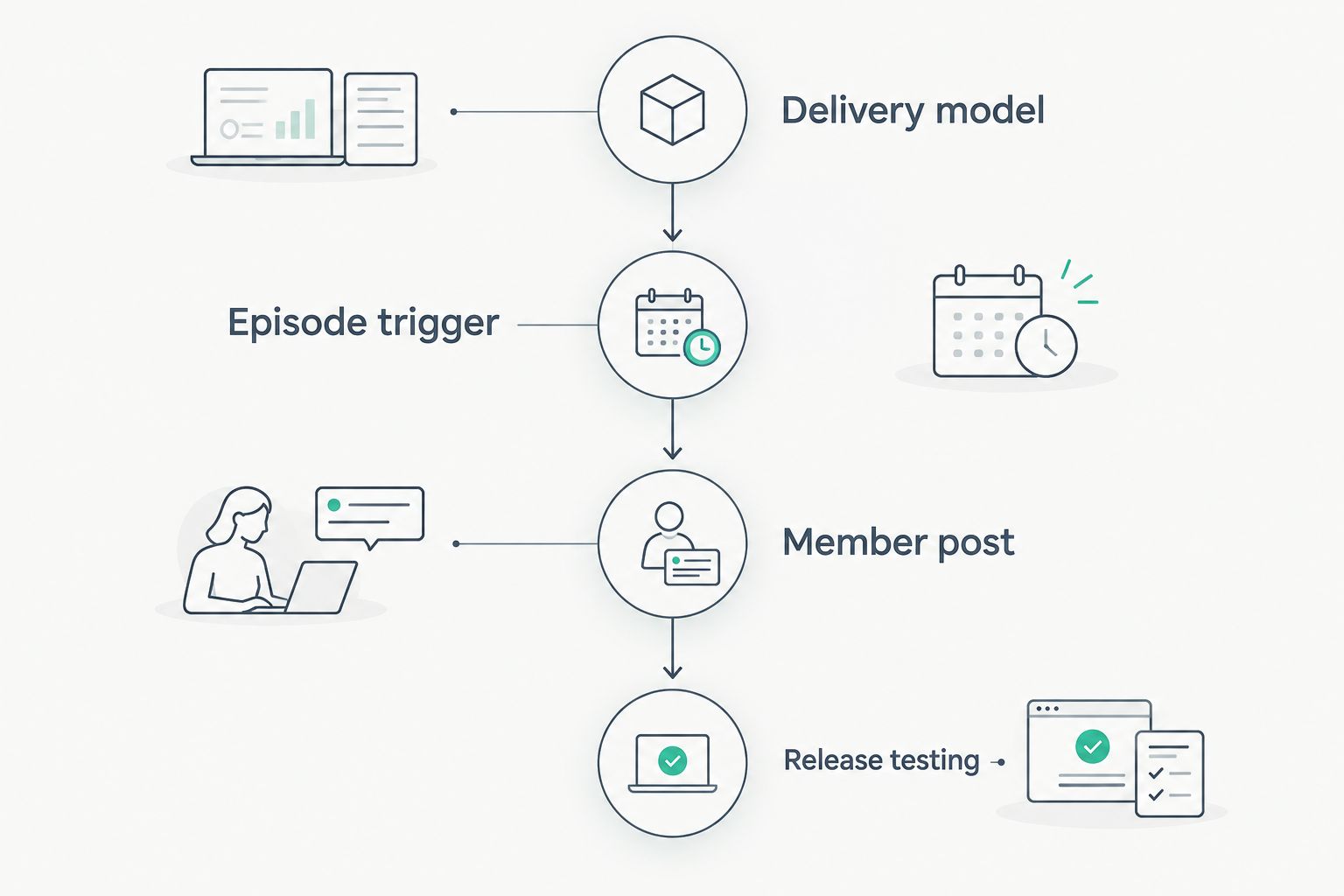
Choose the access model before configuring the episode trigger.
Keep a short launch record showing which account completed each test and whether it passed. Recheck permissions after changes to membership rules, destination spaces, or the integration account.
A new episode and an edited episode should not always create the same action. During 2026 maintenance, use a separate update path when your source and connector expose changes reliably.
Expected result: Corrections reach the original discussion instead of splitting conversation across duplicate posts.
The benefit is consistency. The limitation is that not every feed connection exposes updates as a distinct event. If your connection only detects new items, use a manual correction checklist rather than claiming the update path is automated.
Treat access changes differently from editorial updates. Removing someone’s membership should follow the entitlement-removal process; changing episode metadata should not alter who can listen.
Check whether the automation records the source episode identifier after successful creation. Then check whether multiple connections monitor the same feed. Keep a single publishing owner and inspect retries before deleting evidence of the duplicate.
Open the media destination as the affected member, not as an administrator. Check whether playback requires a separate login, an expired link, or an unsupported embed. Replace the embed with the host’s supported listening method when necessary.
Test the underlying media link outside the community. If it opens publicly, the community restriction protects only the post. Move exclusive delivery to a supported authenticated system and retest access removal; hiding the discussion is not enough.
Inspect the matching rule. A changed title is not a reliable identity key. Match the stable source identifier to the stored destination post identifier, and use the update path only when the integration supports it.
Separate post creation from announcement where your platform permits it. Confirm playback and permissions before sending the notification. If the platform cannot separate those actions, keep the final publishing step manual until the complete post is ready.
Start with episode delivery and discussion. Add complexity only after the access tests pass. Your next useful extension is an editorial handoff that connects the approved recording, member summary, and discussion prompt.
For your 2026 content calendar, give each episode a clear member action. A private discussion needs a reason to participate, not just another copy of the public show notes.
Dialed Studios is best for Denver entrepreneurs who want done-for-you podcast production rather than a room rental. Fully customized branded sets, a dedicated producer and engineer, and a guaranteed 48-hour editing turnaround support that production role; membership administration remains a separate responsibility.
Plan your podcast production
Discuss customized branded sets, dedicated production support, and the guaranteed 48-hour editing turnaround.
How do I connect my podcast to a membership community platform?
Choose the delivery model, connect an approved-episode trigger, and map each episode to a restricted community post. Test playback, duplicate prevention, and member access before enabling automatic publication.
Can I use my public podcast RSS feed for a private community?
Yes, a public feed can supply episodes for a private community discussion. The audio remains public, so this does not create exclusive member listening.
Do I need a private RSS feed for member-only podcast episodes?
You need an access-controlled delivery method for genuinely exclusive audio. A private podcast feed is one approach when your host supports member-level provisioning and revocation; restricted community playback is another route to evaluate.
Can members listen in their usual podcast app?
Members can listen there only if your delivery system and their podcast app support the private subscription method. Test the actual subscription process before promising that experience.
What happens when someone cancels their membership?
Your workflow must remove the access associated with that membership. Community access and private podcast access need separate checks, and revocation does not erase files someone already downloaded.
Should I automate episode updates as well as new releases?
Automate updates only when your connection exposes changes reliably and can match them to an existing post. Otherwise, correct the original discussion manually rather than creating another post.
Does Dialed Studios manage the membership-platform connection?
Dialed Studios provides done-for-you podcast and video production in Denver, including customized sets, production support, editing, and content strategy. Assign membership-platform configuration and access management separately; they are not part of the production services described here.
Test cancellation before inviting members. Successful signup proves someone can get in; cancellation testing proves your membership boundary works. Check both the community account and the private listening route, because passing either test alone leaves the other unverified.