Podcast recording to Spotify and Apple: complete 2026 workflow
Use the podcast to spotify and apple podcasts workflow to publish through one RSS feed. Follow recording, editing, submission, and release checks for 2026.

.svg)
.svg)
Instead of uploading each episode separately, use this podcast to Spotify and Apple Podcasts workflow: record, approve the edit, publish through your podcast host, and connect its RSS feed to both directories. Dialed Studios handles podcast and video production in Denver with fully customized branded sets, a dedicated producer and engineer, and a guaranteed 48-hour editing turnaround.
TL;DR
Your production team creates the episode. Your podcast host publishes it. Spotify and Apple Podcasts make it discoverable in their apps. Treat these as separate responsibilities, not interchangeable services.
An RSS feed is the structured address that carries your show's information, episode descriptions, and audio-file locations. For a standard RSS-distributed audio podcast, both directories read that feed. You do not need a separate audio upload to each directory for every release.
For your 2026 launch, name the person responsible for approving edits, publishing episodes, and checking the listings. A finished recording is not a published episode. Clear ownership prevents the last handoff from becoming another task on your calendar.
Keep the feed public and accessible without a login. A private listening link, a cloud-storage folder, and an RSS feed are different things. Only the feed belongs in the directory submission process.
The publishing route stays the same whether you manage production yourself or use a production team. The difference is who prepares the episode and resolves recording or editing problems before publication.
Self-managed production
Dialed Studios done-for-you podcast production
Choose the production approach based on which responsibilities you want to keep. A studio session does not replace your host account, feed ownership, or directory access.
For a 2026 video podcast, also decide what the camera recording is for. Your audio feed and your platform-specific video uploads need separate release instructions. Do not assume an audio RSS submission distributes the full video everywhere.
Dialed Studios provides fully customized branded sets and a dedicated producer and engineer. Use that support to settle the recording plan before the session, not to improvise your entire content strategy once the microphones are on.
The guaranteed 48-hour editing turnaround gives you a concrete production milestone. Do not treat it as a guaranteed Spotify or Apple Podcasts publication deadline. Confirm what starts that editing window and keep directory review outside the production promise.
Expected result: You have an approved brief, a named decision-maker, and a clear destination for the recording files.
Your 2026 release package should separate the recording master from the distribution file. Keep the master for future edits; publish the approved export. A file with the right name is not proof that it contains the right edit.
If you manage editing yourself, the audio editing software guide for podcasters addresses that earlier production decision. Choose your editing process before the first release deadline.
Expected result: Your host contains a checked episode draft and complete show information. You can identify the approved audio file without reopening the editing project.
If Spotify for Creators is also your podcast host, enable RSS distribution before submitting that feed to Apple Podcasts. In the hosting interface, open Settings, then Availability, and review RSS Distribution. Hosting on Spotify does not automatically complete an Apple Podcasts submission.
Expected result: Both directories reference the intended show and feed. Your accounts retain access to the listings, and any pending review is visible in the relevant dashboard.
For your 2026 publishing checklist, separate published at the host from visible in the directories. Those are different states. Directory refreshes do not happen on a schedule controlled by your editor.
Expected result: The approved episode plays from both public listings, and the release owner has verified what listeners actually see.
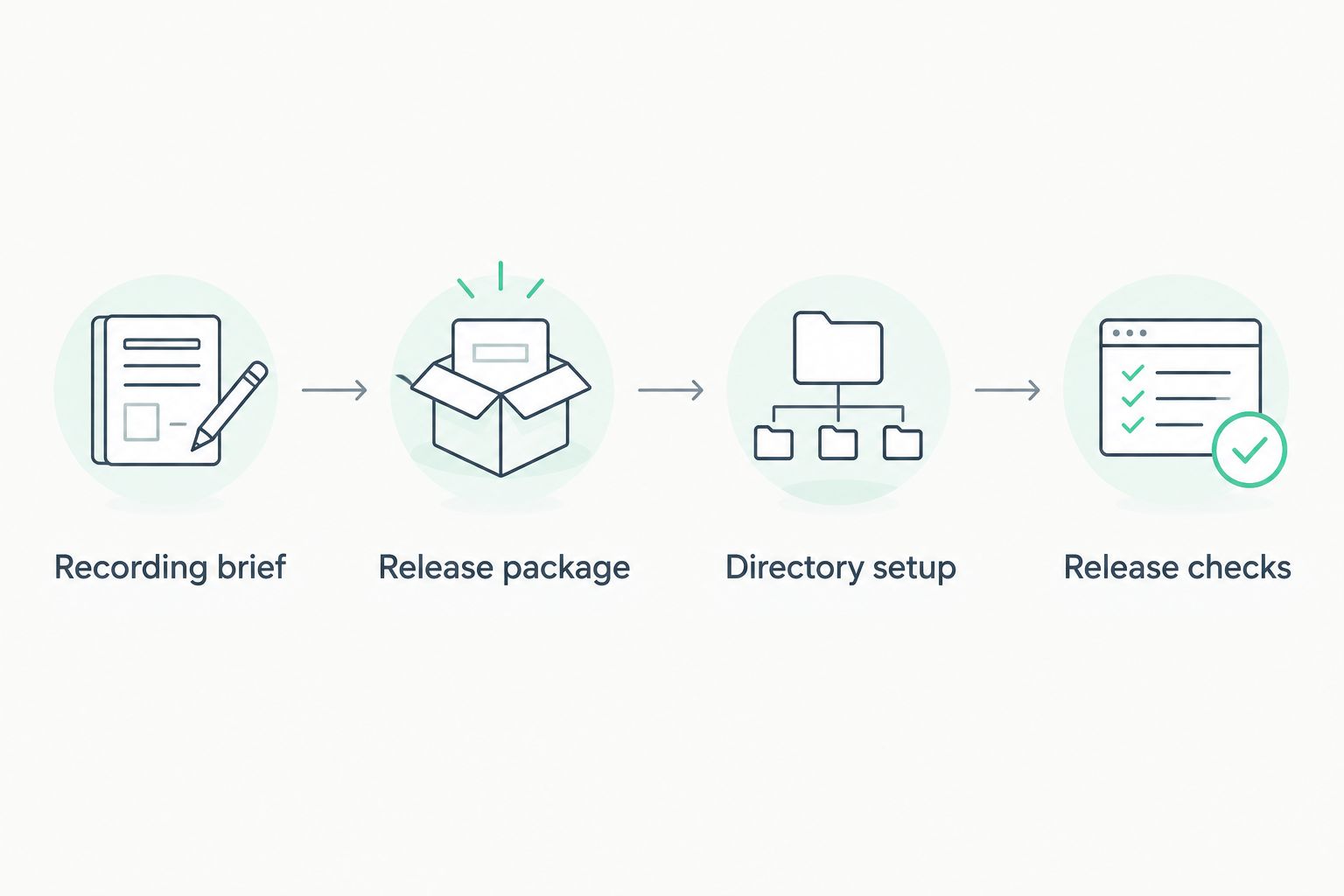
Approve the release package before publishing through the host.
Once Spotify and Apple Podcasts accept your show, subsequent audio episodes follow a shorter workflow. You publish at the host; the directories retrieve the updated feed.
Do not submit a new show for each episode. That creates a different workflow from adding episodes to an existing podcast.
Corrections also begin at the source. Edit feed-supplied titles or descriptions in your host, then check the public listings after they refresh. Replacing audio is a separate action: confirm your host's replacement process, preserve the existing episode identity, and check playback afterward.
If you change podcast hosts, treat that as a migration. Follow both hosts' feed-redirect instructions instead of creating unrelated duplicate directory listings.
Check the owner email associated with the feed, including its spelling and spam filtering. Update it through your host if necessary, confirm the feed reflects the change, and restart verification. Access to Spotify alone does not prove ownership of an externally hosted feed.
Use the validation message to identify the specific issue. Confirm that the feed is publicly accessible, the episode audio URL works without authentication, and the required show details are present. For artwork errors, check the dimensions, file format, and RGB color mode.
First inspect the public feed. If the episode is absent there, fix the draft, schedule, or publishing status at the host. If it is present, check the directory dashboard for warnings and allow for feed retrieval before contacting platform support.
Compare the hosted file with the approved export. Replace it through your host's supported process and check playback again. Avoid deleting and recreating the episode as your first fix; preserve its identity while correcting the file.
Check whether you published an audio episode or completed a supported video-publishing process. An MP3 distributed through RSS does not become video because you recorded with cameras. Keep video uploads and audio-feed publication as separate checklist items.
Build your 2026 release checklist around decisions, not just uploads. Include editorial approval, guest-name verification, episode metadata, scheduling, public playback checks, and promotional assets.
Keep the podcast host and directory credentials under your business's control. Give collaborators the access they need without making an individual contractor the only account owner.
Dialed Studios supplies the production side: fully customized branded sets, a dedicated producer and engineer, editing, and content strategy. Define who publishes before you record. A documented handoff connects done-for-you production to a release process you can repeat.
Plan your podcast production
Build your recording plan around customized branded sets, dedicated production support, and 48-hour editing.
How do I get my podcast on Spotify and Apple Podcasts?
Publish your audio podcast through a host, then connect its public RSS feed to Spotify for Creators and Apple Podcasts Connect. Complete ownership verification, resolve validation issues, and check both public listings.
Do I upload every episode to Spotify and Apple Podcasts separately?
No, not for a standard RSS-distributed audio podcast. Publish each episode through the connected host, and both directories retrieve updates from that feed.
Does hosting on Spotify automatically publish my podcast on Apple Podcasts?
No. Enable the hosted show's RSS distribution and submit that feed separately through Apple Podcasts Connect.
What artwork do I need for Apple Podcasts?
For an RSS show cover, prepare square JPEG or PNG artwork in RGB within Apple's published 1400 × 1400 to 3000 × 3000-pixel range. A 3000 × 3000-pixel file meets that size requirement.
Does a 48-hour editing turnaround mean my episode goes live within 48 hours?
No. Dialed Studios guarantees a 48-hour editing turnaround, while host publication, directory review, and feed retrieval are separate stages. Confirm the editing handoff and manage the release schedule separately.
Will my video podcast appear everywhere through the audio RSS feed?
No. An audio RSS feed does not automatically distribute your full video to every platform. Plan supported video uploads separately from the shared audio release.
Can I fix an episode title after publication?
Yes. Update feed-supplied episode metadata at your podcast host, then check the directory listings after they retrieve the change. Audio replacement requires your host's separate file-replacement process.
The feed address is infrastructure, not your promotional link. Give listeners the public show or episode links; give directories the RSS feed.
Store both in your release documentation with clear labels. That distinction prevents a simple but costly handoff error: sending your production team a listening page when they need the feed, or sending your audience raw feed data when they want to press play.