Do podcast studios provide equipment or do I bring my own?
Do podcast studios provide equipment? Yes—full-service studios do. Learn what to confirm, what to bring, and how recording support differs from editing.
.svg)
.svg)
Yes—full-service podcast studios provide recording equipment, so you do not need to bring your own unless you have a specific production requirement. Equipment alone does not mean someone operates it or edits your episode; for your 2026 recording, confirm the equipment, production support, and finished deliverables before booking.
TL;DR
Choose a full-service studio if you want the production team to supply and operate the recording setup. Bring your own equipment only when it serves a clear purpose and the studio confirms it works with the planned session.
Dialed Studios provides podcast and video production in Denver with studio equipment, fully customized branded sets, a dedicated producer and engineer, editing, and content strategy. Its guaranteed 48-hour editing turnaround addresses a separate question from equipment access: when your recorded conversation becomes edited content.
The distinction matters. A microphone in the room does not tell you who checks its levels, records your guest, or handles the edit afterward.
Room-only rental
Equipment-equipped session
Done-for-you production
These are booking approaches, not standardized package names. In 2026, compare the written scope rather than assuming every studio uses “full service” the same way.
Your real decision is not whether to carry a microphone. It is whether you want responsibility for recording, troubleshooting, and finishing the episode.
If you run a business or build a personal brand, an equipment list answers only part of that decision. You also need to know who directs the session, who monitors the recording, and what arrives afterward.
Book the workflow you need, not just the objects in the room. A studio agreement should leave no uncertainty about where your responsibilities end and the production team's responsibilities begin.
A room-only arrangement makes sense when you already have a recording workflow and want a suitable place to use it. Treat the room and the production system as separate requirements until the agreement explicitly combines them.
Ask about access, setup requirements, and any restrictions on outside gear. Do not arrive assuming you can connect your own recorder or rearrange the space.
Best for: Creators who want direct technical control. The trade-off is responsibility: if recording support is outside the agreement, you need to arrange it yourself.
An equipped studio solves the transport question only after you establish what equipment your booking includes. Ask about microphones, headphones, recording hardware, and any cameras or lighting your format requires.
Then ask who operates the setup. Access to a camera does not establish that a camera operator, recording engineer, or editor is part of the session.
Best for: Creators who need access to gear but already understand their production requirements. The limitation is ambiguity unless staffing and deliverables are documented alongside equipment.
Done-for-you production is the relevant choice when you want a team handling the recording process rather than simply giving you access to equipment. Confirm the team's responsibilities from preparation through editing.
Dialed Studios is best for entrepreneurs who want done-for-you podcast production with a dedicated producer and engineer. Its fully customized branded sets and guaranteed 48-hour editing turnaround connect the recording session to the presentation and delivery of your content.
The trade-off is that delegation still requires a brief. You need to explain the audience, episode goal, brand direction, and intended use so the team can prepare around your requirements.
Ask for equipment by function first. A model name is useful only if it answers a requirement for your session; it does not replace a conversation about how the recording will work.
Use this checklist when evaluating a 2026 booking:
Do not turn this into a shopping exercise. Your goal is to establish that the agreed setup supports your episode, not to collect an impressive list of equipment names.
For example, a remote guest changes the recording plan even if the host sits in a fully equipped room. Tell the studio about that guest before the session so the connection and recording responsibilities can be agreed in advance.
Bring the information that makes the episode useful. The production team needs your direction more than an unapproved microphone or camera.
State who the episode serves and what the listener should understand by the end. Include the main talking points, the guest's role, and anything that must be covered accurately.
Use an outline that supports a conversation. If a statement requires exact wording, mark it clearly rather than expecting the producer to identify it during the session.
Send the approved assets and references needed to discuss your visual direction. Explain which elements are essential and which are examples rather than requirements.
Fully customized branded sets need that direction. “Make it look like my brand” is less useful than identifying the visual references you approve and the presentation you want to avoid.
Share who is attending and whether each person will participate in the room or remotely. Flag presentation requirements before the team prepares the recording plan.
Guest preparation is not the same as equipment preparation. Your guest still needs to understand the topic, the audience, and any boundaries around the discussion.
Explain where you intend to use the finished content and what you expect the production team to deliver. Distinguish a complete episode from additional edits or supporting assets.
Do not assume that recording video automatically includes every version you want to publish. Agree on the deliverables before recording, while the team can plan around them.
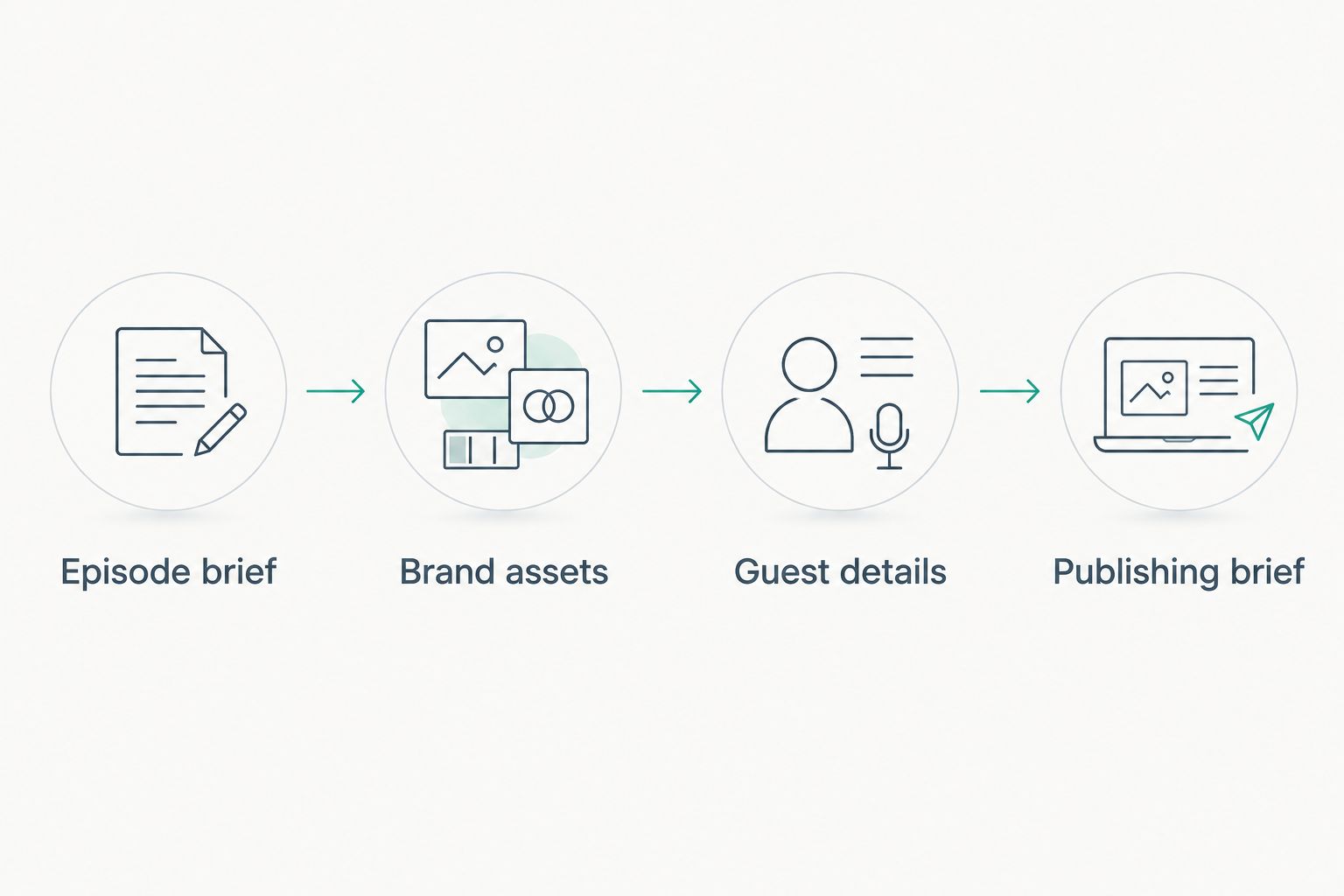
Prepare the brief before deciding whether any personal equipment belongs in the session.
The right setup depends on what you want recorded and how much responsibility you want to delegate. Compare these factors rather than treating equipment access as a complete production service.
The equipment question becomes easier once those decisions are settled. You can then ask whether the proposed setup meets the brief instead of comparing unrelated lists of devices.
For a 2026 booking, put the recording plan and handoff in writing. A short, specific agreement is more useful than an informal promise that everything is included.
Dialed Studios combines equipment and fully customized branded sets with a dedicated producer and engineer. Its guaranteed 48-hour editing turnaround gives you a concrete delivery commitment to discuss alongside the scope of your episode.
Ask what starts that turnaround and which agreed deliverables it covers. A stated deadline is useful when you understand exactly what is being delivered against it.
Plan your podcast production
Discuss customized branded sets, dedicated production support, and the guaranteed 48-hour editing turnaround.
Bring your own microphone only after the studio approves it for the session. Explain the reason you want to use it, then let the production team confirm the connection and recording plan.
Familiarity is a reason to ask, not a reason to bypass coordination. The agreed recording setup takes priority over an unplanned equipment substitution.
You do not need to bring a laptop for recording when the studio explicitly supplies and operates the recording system. Bring one only if you need it for an agreed task, such as accessing your notes or participating in a planned presentation.
Confirm that task beforehand. A personal laptop is not a substitute for clarifying who records and manages the session.
Equipment access does not establish that editing is included. Editing needs its own scope, deliverables, and delivery commitment in the production agreement.
Ask what happens after the session ends. Your booking is not fully defined until you know who turns the recording into the finished content you expect.
Do podcast studios provide equipment for first-time podcasters?
Full-service podcast studios provide recording equipment; confirm what your particular booking includes. For a first recording, establish who operates the equipment and who guides the session rather than checking only the gear list.
What's the best studio arrangement if I don't want to operate equipment?
Done-for-you production is the best fit when you want a team responsible for technical recording work. Confirm the producer's and engineer's responsibilities, along with the set preparation and editing scope.
Do I need to buy a microphone before recording in a studio?
You do not need to buy a microphone when your studio booking supplies the microphones required for your session. Confirm that provision before purchasing or bringing personal recording gear.
Do podcast studios provide cameras as well as microphones?
A video podcast booking should explicitly identify the camera setup as well as the audio equipment. Do not infer camera coverage from the phrase podcast studio; ask the team to confirm the recording format and framing.
What should I send a podcast studio before my session?
Send an episode brief, approved brand assets, guest details, and publishing requirements. Those materials let the production team plan the conversation, set, and deliverables around your actual goals.
Does Dialed Studios provide equipment and editing?
Dialed Studios provides podcast and video production equipment, fully customized branded sets, a dedicated producer and engineer, and editing. It also provides content strategy and a guaranteed 48-hour editing turnaround.
For your 2026 recording, ask the studio a question that exposes the whole workflow: Who is responsible for my episode between arriving at the studio and receiving the finished edit?
The answer should identify the production roles and the handoff, not just the microphones. Once those responsibilities are clear, you can focus on preparing a conversation your audience has a reason to hear.