Studio recording to weekly newsletter: complete 2026 workflow
Turn podcast episode into newsletter content with an approval-first workflow. Build a weekly email from verified insights, not a pasted transcript.



Instead of rewriting your podcast from scratch every week, turn podcast episode into newsletter content through a repeatable workflow: record around a reader question, extract verified insights, build an email draft, and approve it before sending. You get a newsletter that stands on its own—not a transcript pasted into an inbox.
TL;DR
Your podcast and newsletter should answer the same customer questions without repeating the same presentation. Audio carries conversation and personality. Email needs a clear point, supporting evidence, and a next step readers can understand without pressing play.
Dialed Studios is best for Denver entrepreneurs who want done-for-you podcast production rather than a room rental. Dialed Studios provides fully customized branded sets, a dedicated producer and engineer, editing, and content strategy. Its guaranteed 48-hour editing turnaround supports production planning; newsletter writing, approval, and sending remain separate steps in this workflow.
For your 2026 content plan, treat the episode as source material and the newsletter as a separate editorial product. That distinction keeps the email useful to subscribers who never listen.
Start with a manual handoff. You do not need an integration to prove the process works. Add automation only after you know which materials, decisions, and approvals must pass between people.
Create a shared episode record in your existing document, spreadsheet, or project system. The bold field names below are labels you create—not claims about menus in a particular application.
For example, a business coach discussing difficult client conversations should explain what to say, when to say it, and which mistake to avoid. A broad conversation about confidence needs that practical detail before it can become a useful email.
Fully customized branded sets support the visual identity of the recorded episode. They do not replace a clear editorial brief. Give the dedicated producer and engineer your recording priorities, while keeping newsletter approval assigned to a named owner.
Expected result: Your 2026 episode record identifies the reader problem, source materials, owner, and approval state. Another team member can understand the intended newsletter without attending the recording.
The transcript is a search aid, not finished copy. Work from the final recording when checking meaning, attribution, or wording.
As a starting editorial constraint, aim for 300–500 words per email, then adjust to the subject. This is a recommended working range, not a performance benchmark. Cut repetition before cutting the explanation that makes the advice usable.
The opening should identify the reader's problem. The explanation should give the answer. The example should show the answer in practice, and the next action should tell readers what to do with it.
Expected result: Your draft delivers a complete lesson. Listening to the episode adds depth but is not required to understand the email.
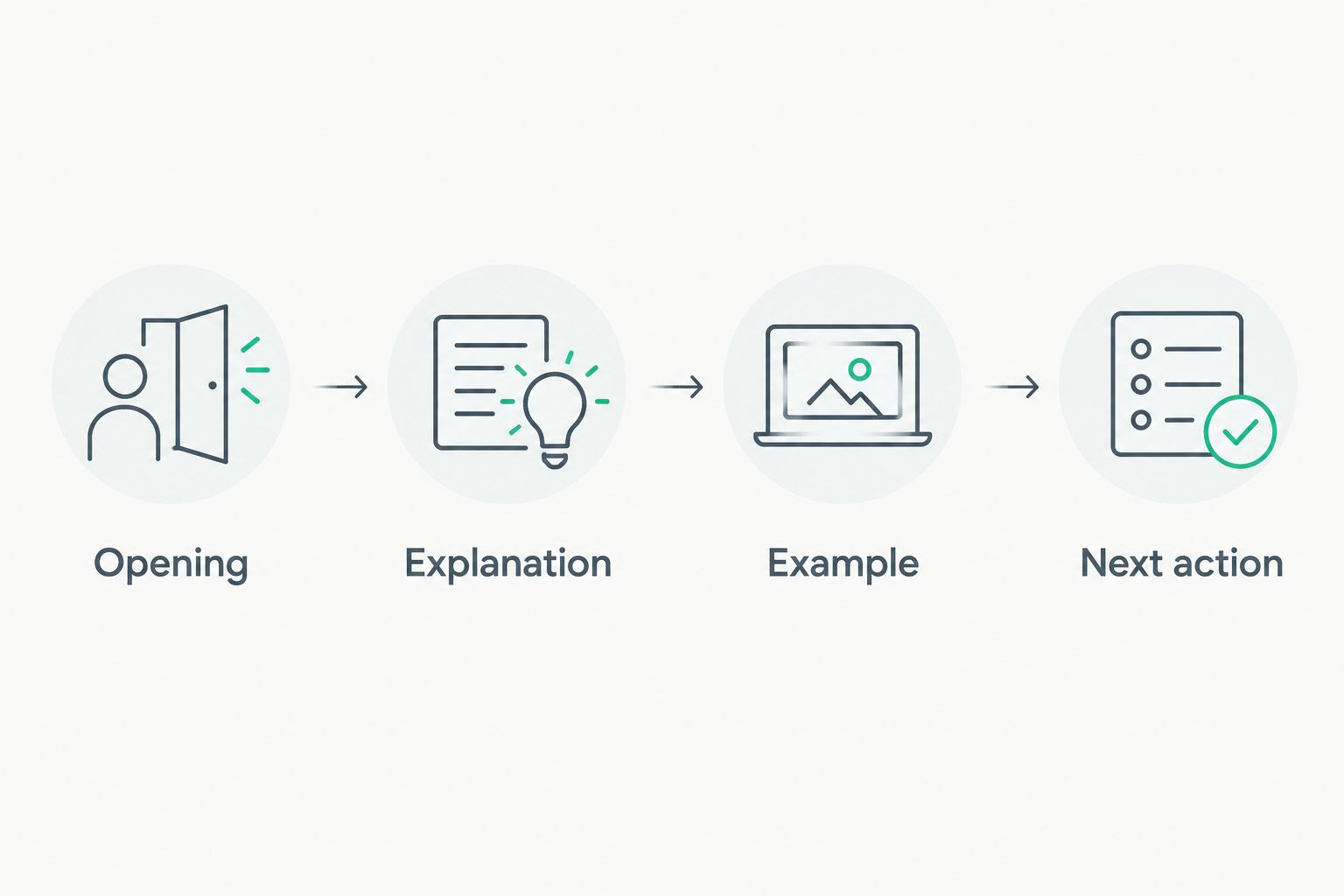
The email should teach the lesson before asking readers to listen.
Build the newsletter inside your existing email platform only after the editorial draft is coherent. Keep a reusable layout so formatting does not become a fresh production task every week.
Choose the handoff method that fits your editorial capacity:
Manual draft handoff
Approval-gated automation
Start with the manual draft handoff if your format still changes every issue. Choose approval-gated automation after the inputs and responsibilities are stable.
Expected result: You have a tested, unsent email addressed to the correct audience. Nobody has mistaken draft creation for sending authorization.
Make approval explicit. A completed audio edit does not mean the newsletter's wording, audience, or send time has been checked.
Dialed Studios' guaranteed 48-hour editing turnaround gives you a production commitment to plan around. It does not establish your newsletter approval deadline. Allow a separate editorial handoff rather than scheduling an email against an unfinished source.
Expected result: Every sent newsletter has an approved source, an accountable owner, and a recorded release. Your team can distinguish an edited episode from a publishable email.
Once the manual sequence works, automate the handoff into drafting—not the final send. Best for teams with consistent episode records: an approval-triggered workflow preserves editorial control while reducing repeated copying.
Use these configuration requirements when evaluating newsletter automation tools: the workflow needs a supported approval trigger, an unsent-draft action, and a way to prevent duplicate drafts. A connection that only reacts to publication does not establish editorial readiness.
The adjacent workflow handles source updates. When an approved episode changes, flag the existing newsletter draft for review instead of creating another issue. If the email has already been sent, assess whether a correction is necessary; changing a source file does not change delivered inbox copies.
The draft follows the conversation instead of the reader's problem. Rewrite the opening around Reader question, move the answer up, and remove housekeeping, guest introductions, and unrelated segments.
Keep an episode summary separate if you need one. A newsletter lesson and a chronological recap serve different purposes.
The transcript contains an error or represents a different edit. Check the passage against the approved recording and correct the attribution.
Use quotation marks only for exact wording. If you condense or reinterpret the statement, present it as a paraphrase and preserve its meaning.
The trigger fires again after an update, retry, or repeated approval. Match incoming events against Episode ID before creating another draft.
Update the existing draft or flag it for review. Do not rely on the email subject as the unique identifier; subjects change during editing.
The calendar is being treated as an approval signal. Separate the intended send date from Source status and Newsletter status.
Hold the email until its source and destination are checked. If your publishing cadence repeatedly outruns production, revise the schedule rather than skipping review.
Expand the source record before expanding the number of channels. Add an audience segment, a recurring topic, or a business objective only when someone will use that field to make an editorial decision.
For a weekly newsletter, plan 1 email per week as an operating commitment—not a claim about the ideal frequency for every business. Batch recording can supply source material, but each issue still needs its own reader problem and approval.
Keep the responsibilities distinct. Dialed Studios handles done-for-you podcast and video production with fully customized branded sets, a dedicated producer and engineer, and guaranteed 48-hour editing turnaround. Assign newsletter drafting and sending explicitly rather than assuming they are included in production.
For your 2026 workflow, prioritize a reliable handoff over extra automation. The practical trade-off is clear: production support addresses recording and editing, while your newsletter still needs editorial judgment and subscriber management.
Plan your recording workflow
Discuss customized branded sets, dedicated production support, and the guaranteed 48-hour editing turnaround.
How do I turn podcast episode into newsletter content without copying the transcript?
Build the newsletter around a reader question and use the episode as supporting source material. Write a fresh opening, explain the answer, include a relevant example, and give readers a next action.
Should I use the raw recording or the edited episode?
Use the approved edited episode as your source of truth. Check quotations and transcript passages against that version so removed or revised material does not enter the newsletter.
Can I automate my podcast newsletter completely?
Keep human approval between draft creation and sending. Automate supported handoffs and duplicate checks, but retain review of accuracy, attribution, audience, and scheduling.
How long should a podcast newsletter be?
Start with an editorial target of 300–500 words, then adjust to the lesson. This is a drafting constraint rather than a performance benchmark; the email should answer its central question without requiring a listen.
Does a podcast production deadline include newsletter delivery?
A podcast production deadline does not establish a newsletter delivery deadline. Assign separate owners and approval dates for the email, and confirm the scope of any writing or distribution services.
Can one podcast episode supply more than one newsletter?
Yes, when the episode contains distinct lessons that each answer a different reader question. Give each issue its own angle and approval rather than splitting a transcript into arbitrary sections.
What should happen when an episode changes after newsletter approval?
Return the unsent newsletter to review and check every claim affected by the change. If the newsletter has already been sent, assess the need for a correction rather than treating a source-file update as an inbox update.
Remove the listening prompt during your final editorial check. Does the email still help the reader make a decision or take action?
If the answer is no, the newsletter is an announcement—not a lesson. Put the useful explanation back before asking subscribers to spend more time with the episode.