Video production for e-commerce brands: complete 2026 guide
Video production for e-commerce brands: answer buyer questions first. Plan product demos, choose production support, and measure results without guesswork.
.svg)
.svg)
E-commerce video production turns product demonstrations, buyer questions, and brand stories into content that helps shoppers decide what to buy. This guide to video production for e-commerce brands shows you how to plan a 2026 shoot, choose production support, and connect each video to a specific buying decision.
TL;DR
Your product page asks shoppers to judge something they cannot handle. Video lets you demonstrate the action, explain the use case, and show details that a description leaves open. Start with the questions your customers actually ask, not a list of shots that merely look impressive.
An e-commerce shoot also has a practical constraint: the product must remain accurate across footage, captions, and the destination page. A polished edit does not fix a demonstration of the wrong variant.
Dialed Studios is best for Denver entrepreneurs who want done-for-you video production with a dedicated producer and engineer. Dialed Studios offers fully customized branded sets, editing, and content strategy, with a guaranteed 48-hour editing turnaround. You still need to supply accurate product information and approve the message.
Treat the shoot as a sequence of decisions. Decide what the shopper needs to understand, what evidence you can show, and where the finished video will appear. Then choose the equipment and production team.
Start manually with customer emails, support conversations, product reviews, and questions your team answers repeatedly. Copy the actual wording into a planning document. Group questions by the decision they reveal: whether the product fits, how it works, or what makes it different.
Choose one primary decision for each video. A demonstration of how an item opens should not also carry your entire founder story. Separate those jobs so the viewer gets a clear answer and your editor gets a clear brief.
Write the desired next action before the script. For a product-page video, that action might be checking the relevant variant. For a founder introduction, it might be learning why the brand exists.
Best for: brands that need to turn scattered customer questions into a focused content plan. Build the brief around these inputs:
Use a phone and a rough outline to test whether the explanation makes sense before commissioning a finished production. Record the action, watch it without your script, and check whether someone unfamiliar with the product can follow it. Keep this rehearsal separate from any decision about final image quality.
For your 2026 plan, begin with 3 video formats: a product demonstration, a founder explanation, and an objection-handling video. These are planning categories, not a required publishing quota. Each format answers a different question.
A product demonstration shows what happens in use. A founder explanation gives context for the business. An objection-handling video addresses a specific concern with evidence rather than reassurance alone.
Best for: teams deciding what to film before choosing how to film it. Map each format to a clear job:
Make a responsibility list yourself before comparing providers. Someone must prepare the products, shape the script, manage the recording, review the edit, and publish the approved version. A room rental covers a location; it does not automatically cover those jobs.
Dialed Studios video production provides a done-for-you path with a dedicated producer and engineer, studio equipment, editing, and content strategy. Its fully customized branded sets support a setting built around your brand rather than a generic background. The guaranteed 48-hour editing turnaround gives you a concrete delivery commitment to discuss during planning.
The trade-off is coordination. You still need to confirm the deliverables, supply products, review factual claims, and agree on the approval process. Ask how the editing guarantee applies to your scope rather than assuming it covers every revision or asset type.
Best for: entrepreneurs who want production support instead of managing a recording room. Clarify these responsibilities before scheduling:
Create a simple shot list in a document first. Pair every spoken claim with the image that supports it. If the script describes a closure, show the closure; if it describes assembly, show the relevant action rather than unrelated beauty footage.
Separate the talking segment from the product detail shots. That makes it easier to see which claims lack visual support before recording starts. It also gives the editor clear material for explanations that continue while the product fills the frame.
Fully customized branded sets are part of Dialed Studios' offering, but the set still needs to serve the demonstration. Keep distracting objects away from the product. Check that the background, clothing, and surface do not obscure the detail you want viewers to inspect.
Best for: brands whose products need hands-on explanation or close inspection. Prepare the physical setup deliberately:
A useful setup leaves room for both the presenter and the product demonstration. The camera should show the action clearly, not just produce an attractive portrait.
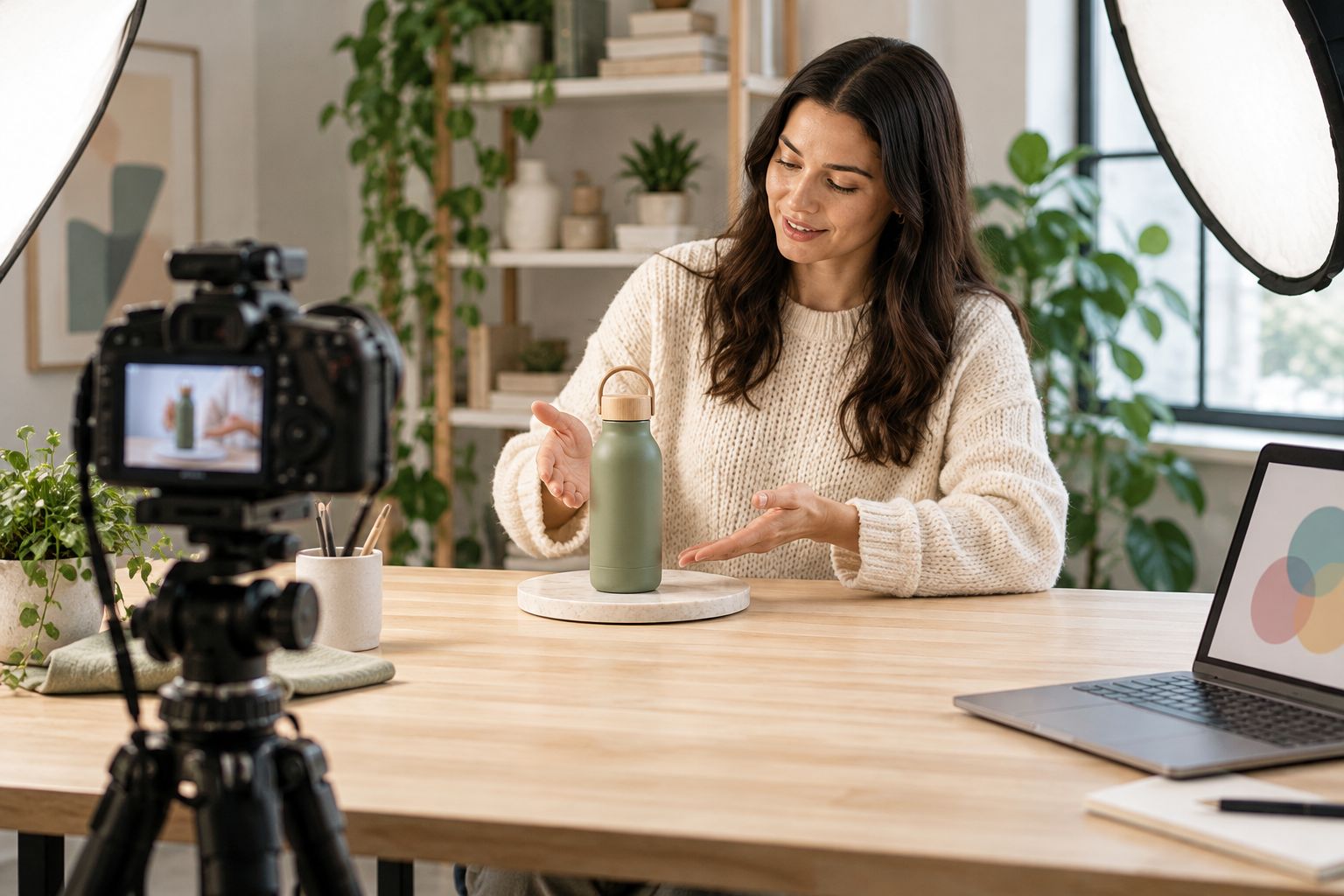
Keep the product action visible instead of letting the set compete with it.
Rehearse the explanation aloud before the shoot. Remove sentences that sound like a product listing read verbatim. Use the words your buyer uses, then demonstrate the point while the product is visible.
For each main message, prepare 2 opening lines that approach the same question differently. This is a recommended recording tactic, not a claim about which opening will perform better. Keep the rest of the explanation consistent so the alternatives remain useful for later comparison.
Record a complete answer before trying shorter versions. An isolated promotional line often lacks the context an editor needs. Give the production team a clear beginning, a visible demonstration, and a natural ending.
Best for: small teams that want multiple usable edits from a planned recording session. Protect the usefulness of the footage:
Use a shared review document before paying for additional workflow tools. Separate factual corrections from creative preferences. Name the issue, identify its location, and describe the required change so the editor receives an actionable note.
Your 2026 review process should check the video and its destination together. A correct video paired with an outdated product page still creates a confusing buying experience. Confirm that captions, spoken descriptions, product variants, and the next action agree.
When comparing versions, change 1 creative variable at a time where practical. That might be the opening line or the demonstration order. Read watch behavior alongside the action the video was intended to support; views alone do not establish a purchase result.
Best for: teams that need a repeatable approval process and interpretable results. Complete these checks before the next shoot:
The workflow is deliberate: decide the message, assign the work, record the evidence, then review what the shopper actually sees. Keep approval separate from publishing so an unfinished asset does not become the final version by accident.
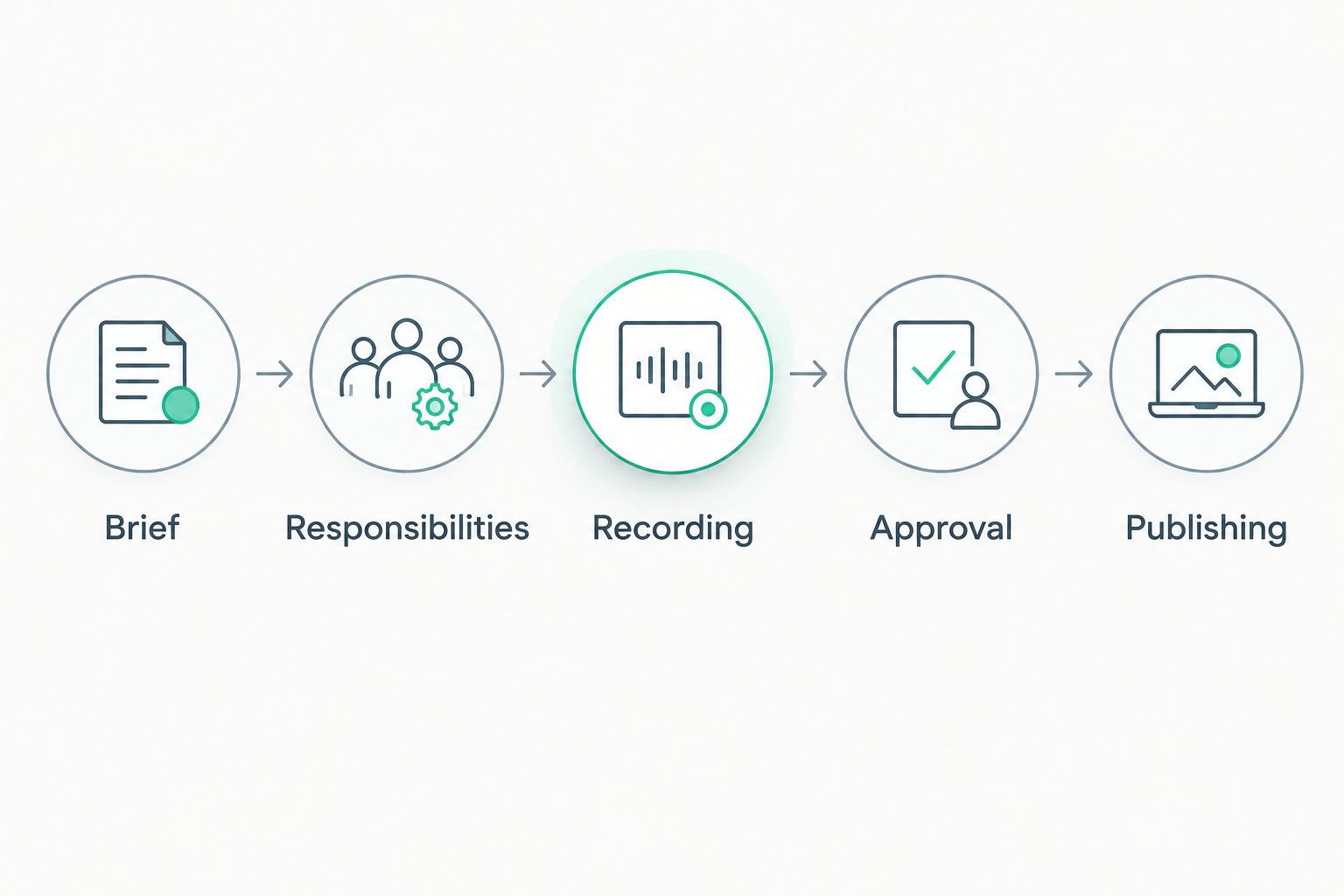
Set the responsibilities before recording and complete approval before publishing.
Choose the option that covers the work you cannot reasonably own. For your 2026 production plan, distinguish access to equipment from responsibility for finished content. Both matter, but they solve different problems.
In-house phone recording
Studio room rental
Freelance production support
Dialed Studios done-for-you production
Choose in-house recording for message rehearsal; choose production support when the work needs an accountable owner. Do not compare a room-only offer with a done-for-you scope as though they include the same responsibilities.
Before committing, ask how the provider handles product demonstrations, deliverable formats, revisions, and factual approvals. Confirm the scope in writing. A stated turnaround does not replace agreement about what will be delivered.
Plan your next video shoot
Discuss customized branded sets, dedicated production support, and the guaranteed 48-hour editing turnaround.
A founder story cannot substitute for a missing demonstration. If shoppers ask how the product works, record that answer first. Give brand storytelling a separate job rather than asking it to explain everything.
Check the filmed item against the destination page before recording and again before publishing. Details shown in the video must belong to that variant. Keep a product reference in the brief so approvals do not depend on memory.
A dramatic shot is not proof of durability, compatibility, or performance. Use approved product facts and demonstrate only what you can accurately show. Remove unsupported claims from dialogue, captions, and overlays—not just from the script.
An edit that works on a large screen still needs review in its actual destination. Inspect captions, crops, and the next action there. Do not make your product explanation depend entirely on spoken audio.
What's the best starting point for video production for e-commerce brands?
Start with a buyer question and the product evidence needed to answer it. Write the intended next action before selecting the format or production setup.
Do I need a professional studio for every product video?
No, you can rehearse explanations and record straightforward demonstrations in-house. Professional production support becomes a separate decision about setup, technical responsibilities, editing, and consistency.
What does Dialed Studios include in its video production offering?
Dialed Studios offers studio equipment, fully customized branded sets, a dedicated producer and engineer, editing, and content strategy in Denver. Its stated editing commitment is a guaranteed 48-hour turnaround; confirm how that applies to your agreed deliverables.
Is done-for-you production better than renting a studio room?
Done-for-you production is better suited to entrepreneurs who need production responsibilities covered, not just a recording location. A room rental suits teams that already have the skills and people to manage the remaining work.
What should I bring to an e-commerce video shoot?
Bring the correct product variants, demonstration accessories, approved product information, and the filming brief. Include any permissions needed for customer statements or third-party assets you plan to use.
How should I compare video production quotes?
Compare the responsibilities and deliverables included in each quote. Confirm recording support, editing scope, formats, revision handling, and delivery expectations before choosing.
How do I measure whether my product videos are working?
Measure the action each video was designed to support alongside its viewing behavior. Use your existing analytics and avoid treating a view count as proof that the video caused a purchase.
Before your next 2026 shoot, answer the buyer's question without showing your logo or naming your company. If the explanation still helps someone understand the product, the message has a useful core. Add the branding afterward—and keep the evidence visible.