Content strategy for YouTube creators: complete 2026 guide
Build a content strategy for YouTube creators: plan before recording, choose useful topics, compare production options, and connect video results to your goals.

.svg)
.svg)
YouTube creators’ content strategy is a plan for choosing, producing, and publishing videos that turn your expertise into an audience and support your business goals. For entrepreneurs and personal brands, the aim is not simply more uploads: it is a recognizable channel that answers the right questions without consuming your working week.
TL;DR
Your channel has to serve viewers and your business. A video that attracts people outside your target audience does not automatically support either goal. Decide who the video helps, what they should learn, and what action makes sense afterward.
You also need a production process you can maintain. Research, recording, editing, thumbnails, and publishing are separate tasks. Owning a camera does not resolve the decisions between them.
Dialed Studios is best for Denver entrepreneurs who want done-for-you video production rather than a room rental. Dialed Studios provides content strategy, fully customized branded sets, a dedicated producer and engineer, and a guaranteed 48-hour editing turnaround. You still need to bring your expertise, approve the direction, and decide what the channel should accomplish.
For your 2026 plan, separate the audience decision from the equipment decision. Start with a useful answer. Then choose how to produce it consistently.
Start manually with a document describing your intended viewer. Write the problem in the viewer’s language, not your internal service terminology. An entrepreneur explaining hiring decisions needs a different channel promise from a creator teaching beginner photography.
Choose a business outcome before choosing a format. Qualified inquiries, course interest, newsletter subscriptions, and audience education require different closing actions. Pick the outcome that matches your business, then make the video useful even when the viewer takes no further action.
Use a recommended 30-minute planning session to draft the brief. This is a working constraint, not a performance benchmark. Keep the brief short enough that you can check every proposed topic against it.
For example, replace “share my entrepreneurial journey” with “help first-time founders make clearer hiring decisions.” The second promise gives you a test for relevance. Personal stories still belong, but each story must teach something that serves that viewer.
Collect questions manually from customer conversations, comments on your videos, audience messages, and YouTube search suggestions. Search suggestions provide topic ideas; they do not establish search volume. Keep the exact wording when it reveals how viewers describe their problem.
Group those questions into repeatable subject areas. For a founder-led channel, useful pillars include practical instruction, decision comparisons, and demonstrations of your process. Choose only the pillars that match your expertise and buyer.
Build a recommended 90-day topic backlog for 2026, but avoid treating every idea as a publishing commitment. A backlog is a place to organize candidates. Your calendar contains the ideas you are ready to produce.
Put evidence beside each candidate: a customer question, an existing comment, or a recurring objection. This keeps topic selection tied to actual conversations rather than whatever feels interesting on recording day. Do not assign demand figures you have not measured.
Draft the title, thumbnail concept, and opening answer yourself before scheduling production. These elements should make the same promise. If the title promises a comparison, the video needs criteria and a verdict—not an unrelated account of your experience.
Write an outline rather than forcing every creator into a full script. Start with the answer, explain the reasoning, show an example, and end with an appropriate next step. Script precise claims when accuracy matters; use prompts when conversational delivery fits the topic.
A done-for-you team becomes useful once this direction exists. Dialed Studios pairs video production with content strategy, fully customized branded sets, and a dedicated producer and engineer. That support gives you production help; it does not replace your knowledge of the subject.
Make the set support the format. An interview needs a different arrangement from a solo demonstration. Specify what viewers need to see and hear before deciding what belongs behind you.
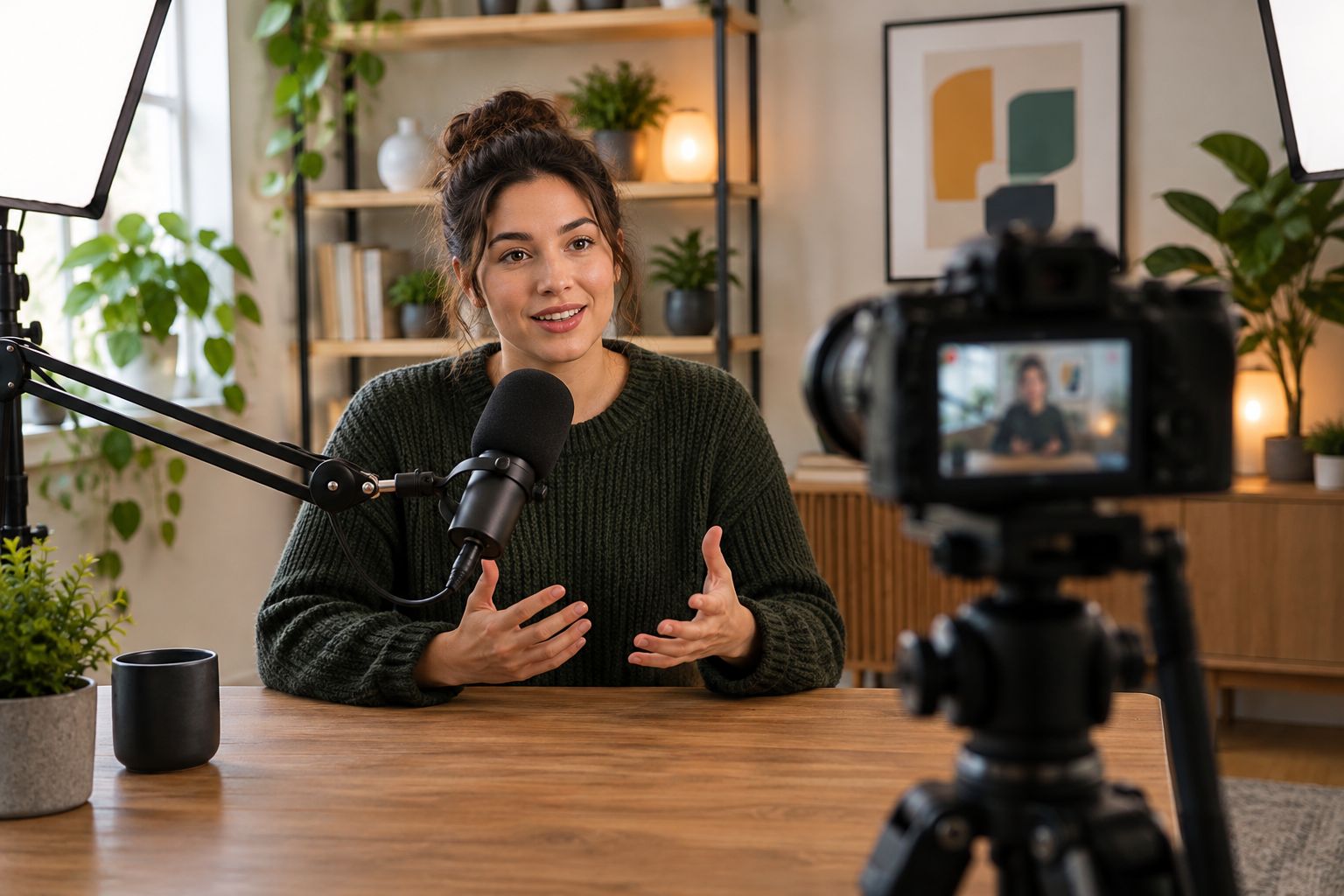
Choose the recording arrangement around the answer viewers need to see and hear.
The manual route is straightforward: prepare your outlines, test the recording setup, and capture videos that share the same arrangement. Batch compatible topics together. Do not combine an interview and a hands-on demonstration simply because both appear on the calendar.
For your 2026 schedule, use a recommended 60-minute rehearsal block before your first batch. Read the openings aloud, check transitions, and identify explanations that need a visual example. This is preparation time you choose, not a claim about how long production always takes.
For creators who want to delegate production tasks, Dialed Studios supplies a dedicated producer and engineer alongside studio equipment and fully customized branded sets. You can concentrate on the explanation while the production team supports the recording. You still need to prepare the subject and approve the creative direction.
Batching works as an organizational choice, not a reason to rush. Stop and clarify an answer when the explanation becomes muddled. An extra take is a better input for editing than an incomplete argument.
If you edit yourself, create a checklist covering the opening, unnecessary repetition, audio clarity, visual examples, and the final action. Review the export before uploading. A completed timeline is not the same as a checked video.
If you delegate editing, send the brief with the footage. Explain what must remain, what needs clarification, and which claims require exact wording. Give consolidated feedback rather than disconnected comments across messages.
Dialed Studios’ guaranteed 48-hour editing turnaround is relevant when editing speed determines your publishing schedule. Confirm the deliverables, approval process, and guarantee terms before planning a release around them. Editing turnaround and your own review time are separate parts of the handoff.
Keep your 2026 publishing calendar tied to approved videos, not recording dates alone. A video still awaiting factual corrections should not become a deadline emergency. Define who owns the final approval so the production team is not waiting for several conflicting decisions.
Use YouTube Studio to review how viewers discover your videos and where they stop watching. Evaluate click-through rate alongside traffic context, not as an isolated score. Check audience retention to identify sections worth reviewing, then watch those sections yourself.
Connect channel signals to your actual goal. If the channel supports a service business, review relevant inquiries alongside video performance. If it supports audience education, examine whether comments and follow-up questions show that the explanation addressed the intended problem.
Schedule a recommended 30-minute review each month in 2026. Use it to choose a specific change, such as a clearer opening, a narrower topic, or a stronger demonstration. This is a review habit, not a promised growth rate.
Avoid drawing sweeping conclusions from unlike videos. A tutorial, interview, and short clip have different structures and viewer expectations. Compare similar formats and inspect the content before deciding that a production choice caused a result.
Your content strategy needs a handoff path, not just a list of ideas. Put the stages in a shared document so each video has a clear status. You should be able to distinguish an interesting topic from an approved brief, recorded footage, and a finished release.
Use the same sequence whether you work alone or with a production team. Ownership changes; the decisions remain. A production partner can take responsibility for recording and editing, while you retain responsibility for expertise and approvals.
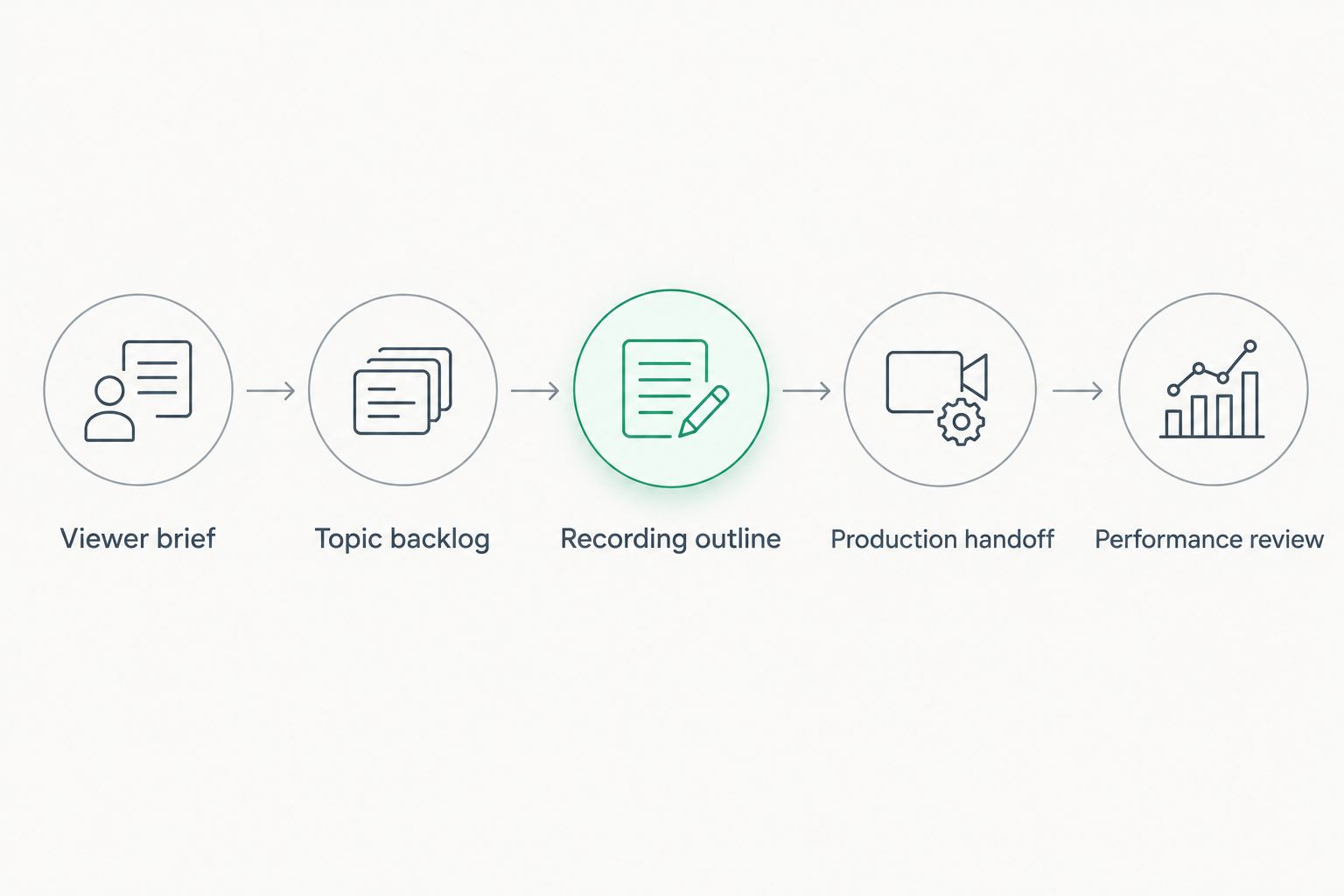
Give each video a clear stage and owner before adding more topics.
Make these five labels the status headings in your planning document:
Choose the option that matches the responsibility you want to keep. Equipment access, editing assistance, and done-for-you production solve different problems. None removes the need for an editorial direction.
Self-production
Studio room rental
Freelance editor
Dialed Studios video production
Choose self-production for control, an editor for post-production help, and a production partner when you want recording and editing support together. Keep the scope explicit. Hiring someone to edit footage does not automatically assign responsibility for topic selection, thumbnails, or publishing.
Plan your next recording
Discuss content strategy, customized branded sets, and done-for-you video production in Denver.
Your experience is useful when it answers a viewer’s question. A channel made entirely of company updates asks strangers to care before giving them a reason. Turn each update into a lesson, demonstration, or decision that fits your channel promise.
A clip should make sense to someone who never watched the original recording. Keep the question, answer, and necessary context together. A dramatic sentence without its explanation is not a substitute for useful short-form content.
A polished set cannot decide whether your channel needs interviews, tutorials, or demonstrations. Define the format first, then brief the recording team. Fully customized branded sets should support the content rather than become the content.
Recording, editing, approvals, thumbnails, and publication are separate stages. Assign an owner to each. A fast edit does not resolve an unanswered approval request or an inaccurate title.
A broad topic can attract an audience you do not serve. Check whether viewers ask relevant questions and take the next action you intended. Keep useful reach and business relevance in the same review.
What is content strategy for YouTube creators?
Content strategy for YouTube creators is a plan for selecting topics, producing videos, publishing consistently, and measuring progress toward an audience or business goal. It connects the viewer’s question to the recording format and the intended next action.
What should I decide before recording a YouTube video?
Decide the intended viewer, promised answer, title concept, examples, and next action before recording. Those choices give you an outline and give an editor a clear brief.
Should I produce YouTube videos myself or use a studio?
Produce videos yourself when you want to own recording and editing; use a production team when you want to delegate those tasks. A room rental is a different arrangement, so confirm exactly which people and deliverables are included.
How often should an entrepreneur publish on YouTube?
Choose a publishing schedule you can maintain through preparation, recording, editing, and approval. Do not commit to an upload frequency that depends on skipping quality checks or taking time away from essential business work.
Can I use podcast recordings for YouTube content?
Yes, a video podcast recording can support YouTube content when the recording includes suitable video and a clear viewer-focused topic. Give shorter extracts enough context to deliver a complete point independently.
What does Dialed Studios provide for YouTube creators?
Dialed Studios provides content strategy and done-for-you podcast and video production in Denver, including fully customized branded sets, studio equipment, a dedicated producer and engineer, and editing. The brand states a guaranteed 48-hour editing turnaround; confirm its terms and the deliverables for your project.
Which YouTube metrics should I review in 2026?
Review discovery sources, click-through rate, and audience retention alongside your channel’s business goal. Compare similar formats and inspect the videos themselves before deciding what to change.
Do not add another topic until you can explain why the viewer needs the current one. Write the answer beneath the proposed title. If you cannot state it clearly, revise the brief before you book a session or open your editing software.
That small check keeps your 2026 content plan focused on useful videos instead of a crowded calendar. Production should carry a clear idea to the viewer—not hide the absence of one.